

AI Document Workspace Real-Time Collaboration AI-Assisted Permission-Aware
Bring people and AI Agents together to create, edit, compare, review and share enterprise documents — with real-time collaboration, intelligent AI assistance and secure version control
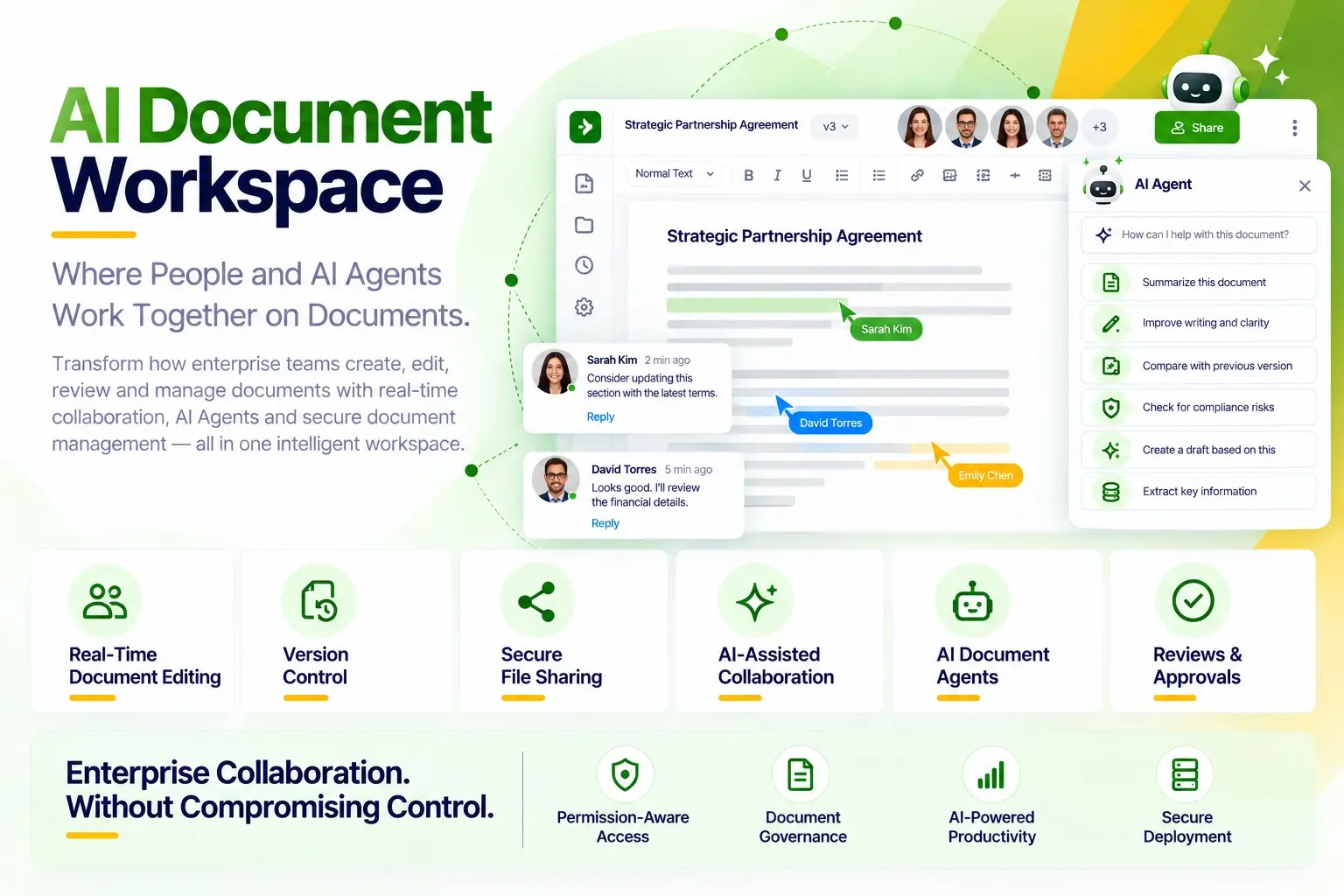
AI-Powered Document Collaboration
Bring People and AI Agents Together in One Intelligent Workspace
Create, edit, compare and collaborate on enterprise documents in real time — with AI Document Agents, secure file sharing, version control and permission-aware access
One Intelligent Workspace
One Workspace. Structured Collaboration. Controlled Access
Organize and collaborate on documents in one secure workspace with structured folders, personal spaces and instant previews — ensuring permission-aware access for users and AI Agents
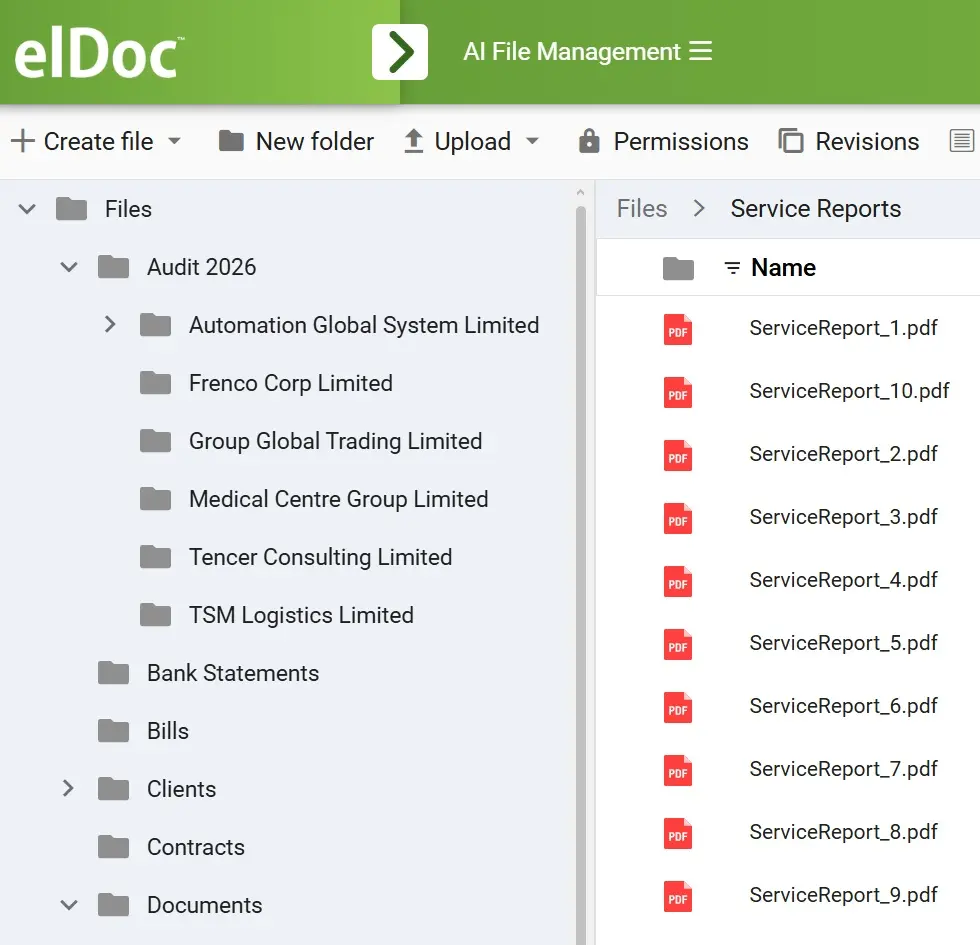
AI-Assisted Document Collaboration
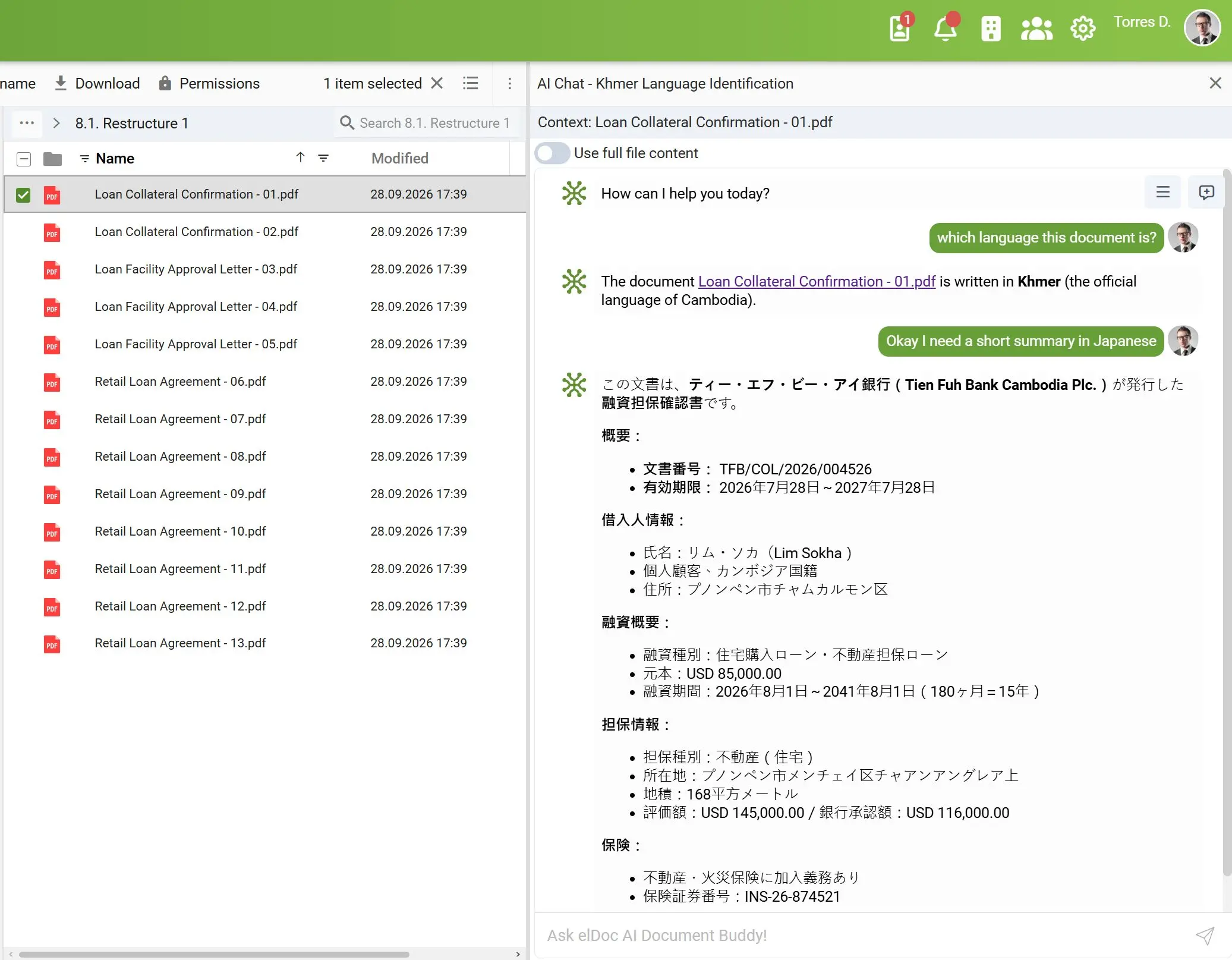
Ask Anything. Uncover Insights.Work More Efficiently
Translate, summarize, research, analyze and compare enterprise documents with GenAI and AI Document Agents. Ask questions in natural language, uncover insights and transform content — all within your secure document workspace
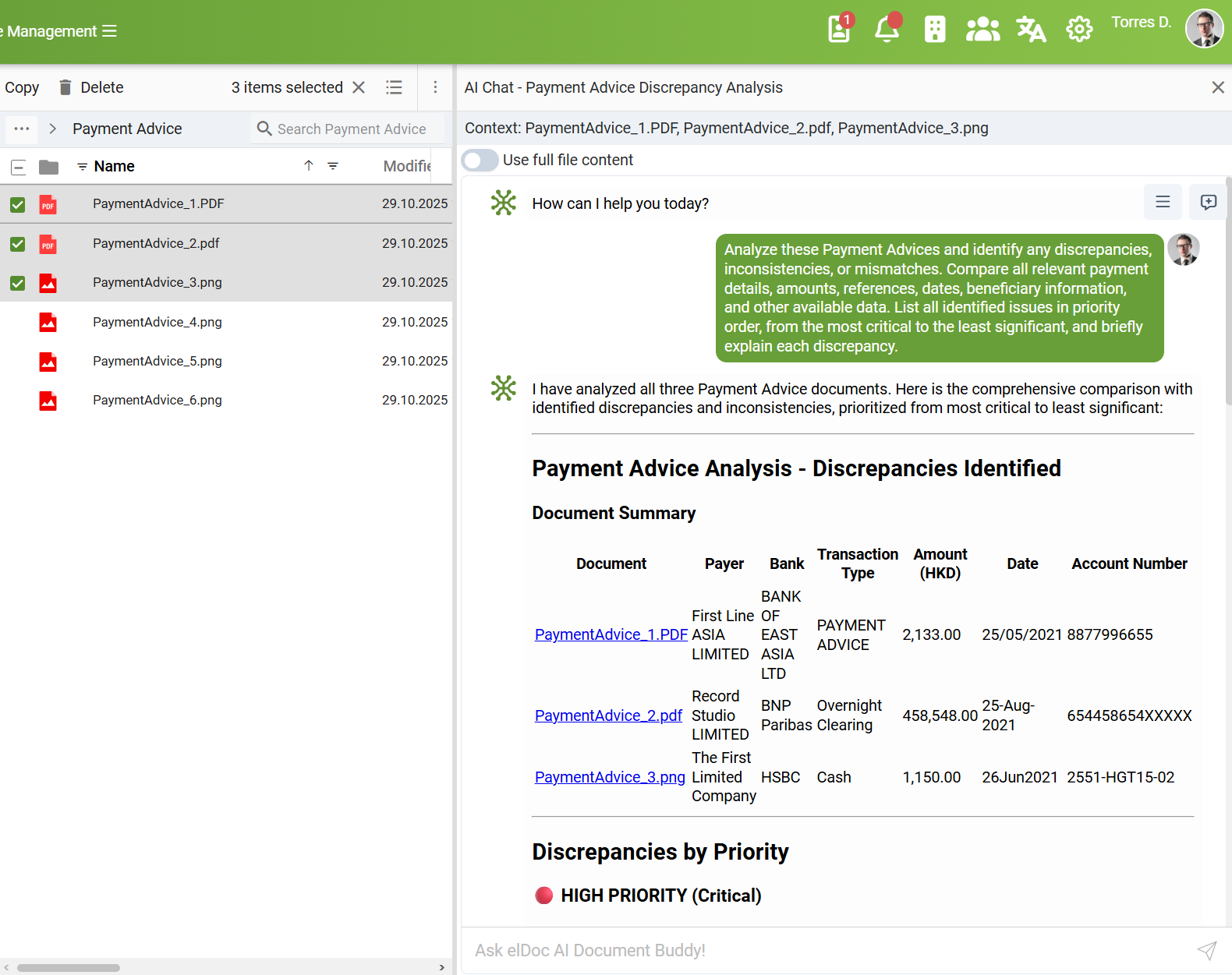
AI Agents That Execute
From AI-Assisted Research to Task Execution with AI Agents
Go beyond AI search and answers. Research, analyze, summarize and compare documents, then put AI Agents to work to create, edit, classify and transform content, execute multi-step tasks and generate outcomes — all in one secure workspace
FAQ - AI Document Collaboration Explained
Find answers to common questions about real-time document editing, AI-assisted collaboration, AI Document Agents, version control and permission-aware access
1. Can multiple users collaborate on documents in real time?
Yes. elDoc enables authorized users to co-edit documents in real time, collaborate across teams and securely manage revisions. Built-in version control maintains complete document history, allowing users to track changes, compare versions and restore previous revisions — ensuring transparency, accountability and control throughout the document lifecycle
2. Can access to collaboration workspaces be segregated by roles, organizational structure and geographies?
Yes. elDoc supports granular, role-based access controls, enabling organizations to segregate collaboration workspaces by departments, teams, locations and geographic regions. Users and AI Document Agents can access only authorized documents and perform actions within their assigned permissions
3. Can elDoc automatically organize workspaces, folders and files?
Yes. elDoc enables users to organize workspaces, create folder structures, classify, index and move documents, and extract metadata using natural language instructions. AI Document Agents can automatically execute these tasks, streamlining document organization, information management and retrieval
4. Can documents be securely shared with external users?
Yes. elDoc enables secure document sharing and collaboration with internal teams, customers and external partners through multiple layers of permission-based access controls. Organizations can restrict further sharing, define access permissions and maintain detailed audit trails to track who documents have been shared with, when they were accessed and what actions were performed — ensuring visibility, accountability and control over sensitive information.
5. Do we need additional Microsoft Office licenses to work with Office documents in elDoc?
No. elDoc enables users to create, edit, view and collaborate on text documents, spreadsheets, presentations and drawings without purchasing additional Microsoft Office licenses. The platform supports alternative office suite – Collabora Online for seamless document editing and real-time collaboration
6. How do AI Document Agents support document collaboration?
AI Document Agents go beyond answering questions. They can research, analyze, compare, create, edit and classify documents, execute multi-step tasks and generate reports and insights — within their authorized access permissions
7. Can we control the actions and permissions of AI Document Agents?
Yes. elDoc provides granular, permission-aware controls over AI Document Agents, allowing organizations to define which documents agents can access, what actions they can perform and which tasks they are authorized to execute — ensuring AI operations remain within established security and governance policies
8. Can we securely store and retain documents permanently in elDoc?
Yes. elDoc provides secure, enterprise-grade document storage for long-term retention and management. Organizations can securely store, organize and preserve documents with granular access controls, encryption, version history and audit trails — ensuring data integrity, confidentiality and controlled access throughout the document lifecycle
Discover elDoc's Intelligent Workspace
Bring Your Documents. See People and AI Agents Working Together
Explore your use case in a personalized demo and discover how elDoc combines document editing, secure collaboration and AI Agent-driven task execution in one enterprise workspace
Let's get in touch
Want a closer look? Message us to arrange your demo
Get your questions answered or schedule a demo to see our solution in action — just drop us a message