

Document Understanding Capture Data Understand Context Automate Outcomes
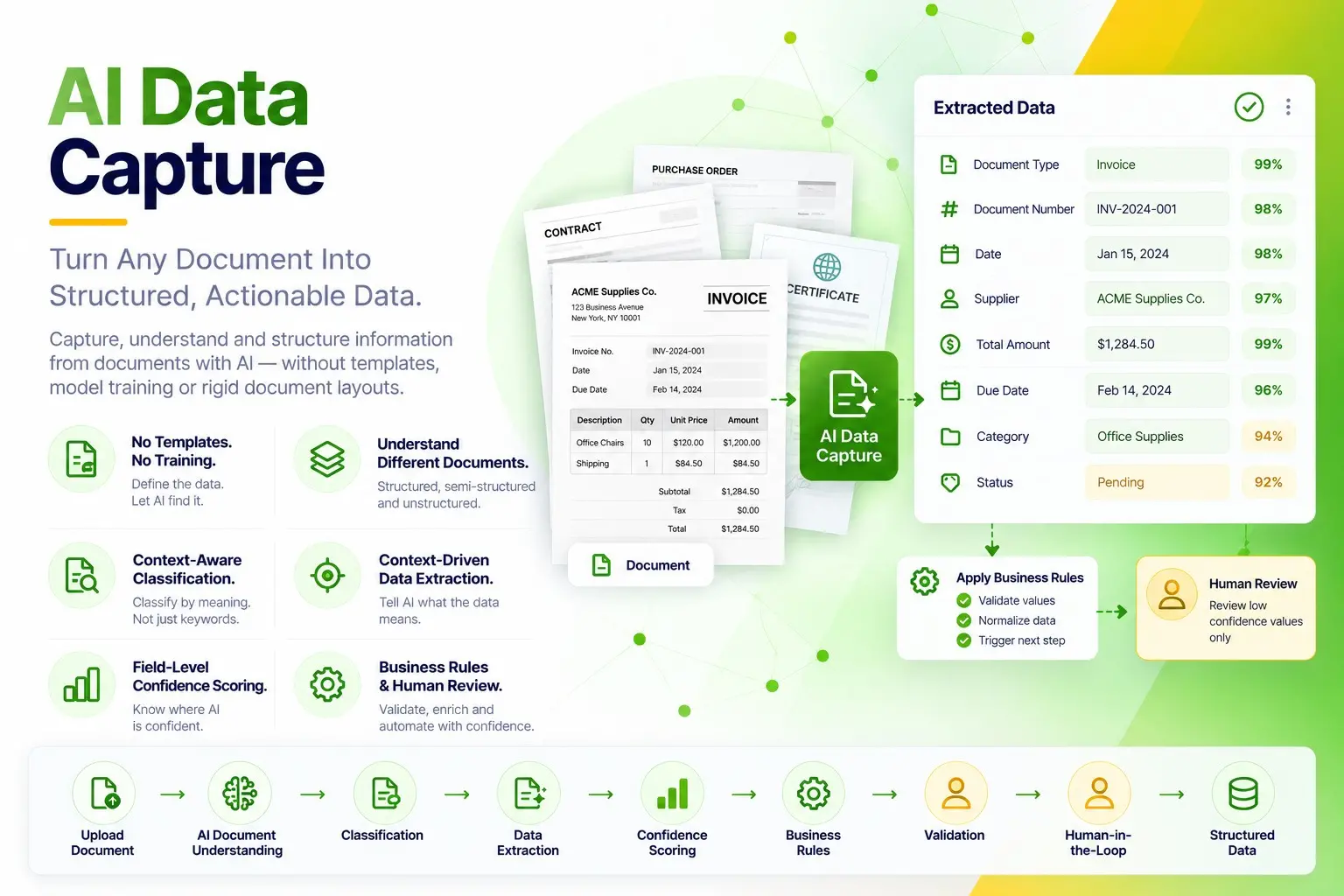
Capture, understand and structure information from documents with AI — without templates, model training or rigid document layouts
AI Data Capture & Document Understanding
Turn Every Document Into Structured, Actionable Data
elDoc understands documents, identifies the information that matters, and transforms it into structured data — without templates, predefined layouts, or model training
Eliminate traditional template configuration
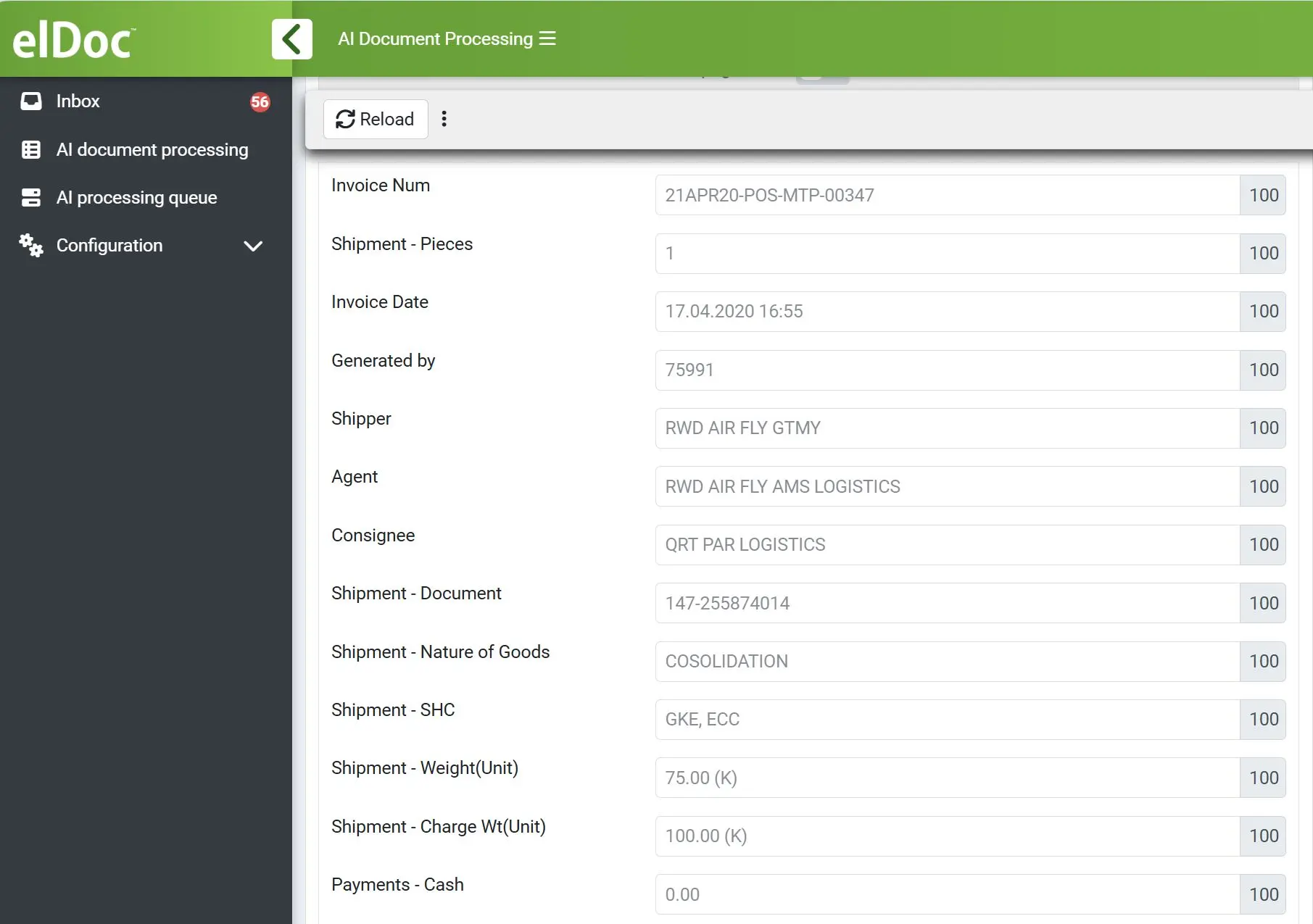
Define the Data You Need. Let AI Find It
Simply define what data you need to capture. elDoc uses AI to understand the document, locate the relevant information and extract it — even when layouts, wording and document structures vary
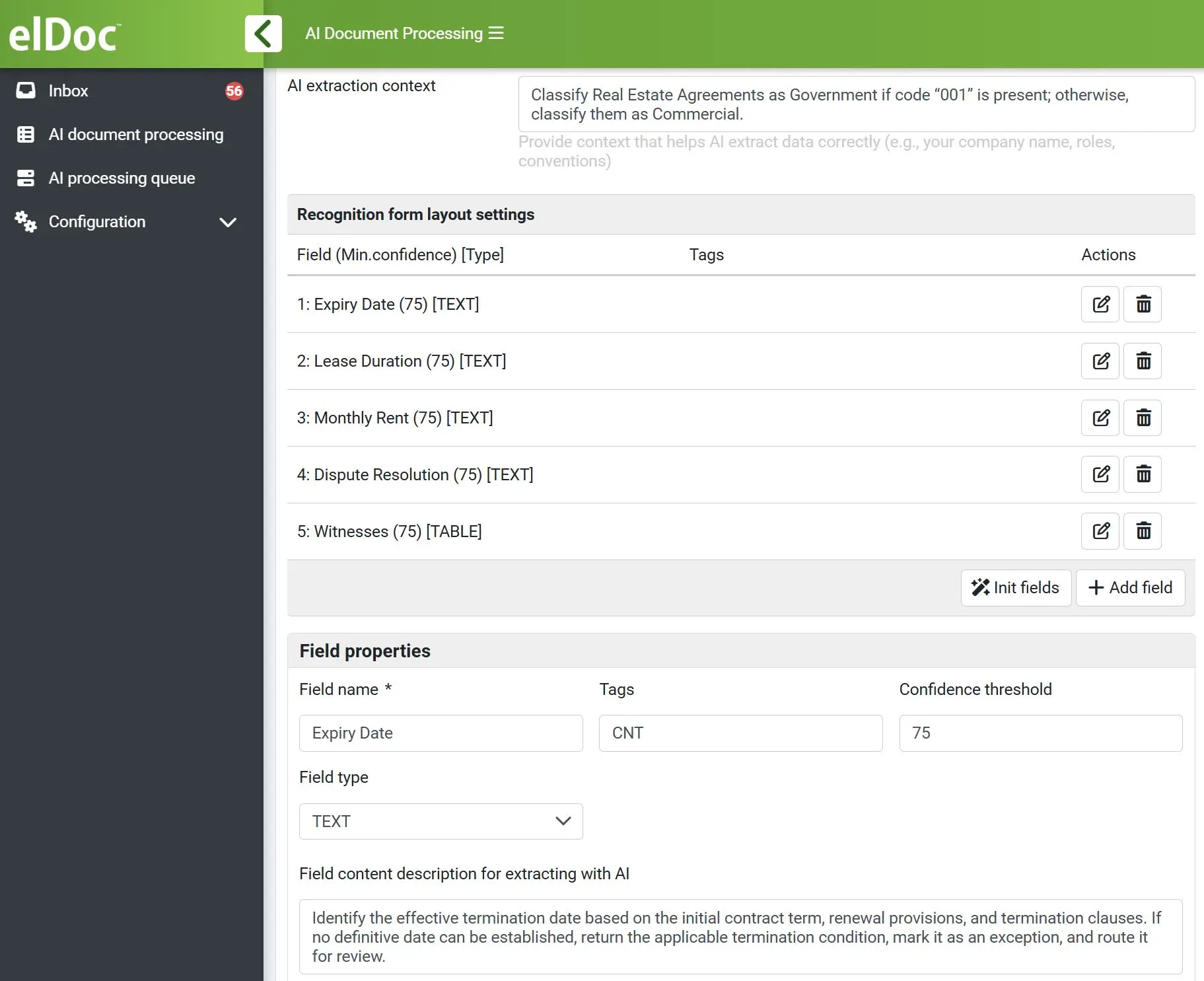
Tell AI What the Data Means
Put Business Logic Behind Every Extraction
Apply configurable business rules to validate and process AI-extracted data. Check completeness, validate consistency, detect exceptions, and determine the next processing step
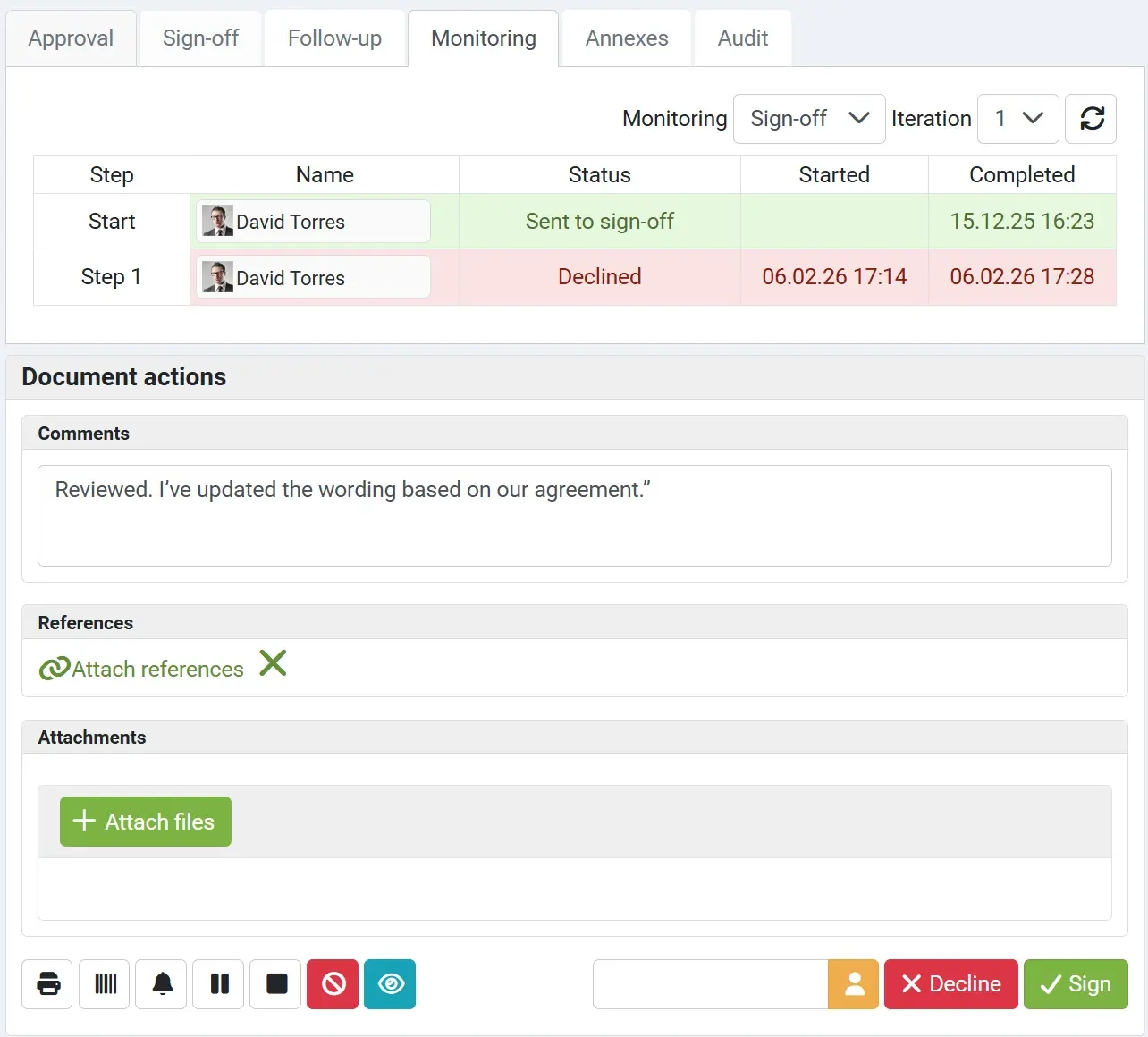
Automate the Routine. Review the Exceptions
AI Handles the Routine. Humans Handle the Exceptions
With AI Workflow Auto-Triggering, combine intelligent extraction, confidence scoring, and business rules to automatically detect exceptions and route them to the right people for review
FAQ - AI Data Capture Explained
Explore how eIDoc AI turns documents into trusted, actionable data — from intelligent recognition and extraction to validation, confidence scoring, and automated workflows
1. How is AI Data Capture different from traditional OCR?
OCR reads text. AI Data Capture goes further by understanding document context, identifying relevant information, structuring extracted data, and applying confidence and validation controls
2. What types of documents can elDoc AI Data Capture process?
eIDoc can capture data from virtually any document type — structured, semi-structured, or unstructured including invoices, receipts, forms, orders, statements, contracts, correspondence, and other business documents
3. Does every document require a predefined template?
No. eIDoc is template-free. AI understands and extracts information based on document content and context, regardless of layout or format eliminating the need to create, configure, or maintain document templates
4. Can we add extraction rules to help AI understand the context?
Yes. eIDoc provides a user-friendly interface where users can define extraction rules and instructions in natural language. This gives AI additional business context to identify, interpret, and extract the right information even from complex or unstructured documents
5. Does elDoc provide confidence scoring for individual fields?
Yes. eIDoc assigns confidence scores to individual extracted fields, helping users assess the reliability of captured data. Configurable thresholds can automatically flag low-confidence values for review while allowing trusted data to continue processing without manual intervention
6. Can elDoc extract data from complex tables?
Yes. eIDoc AI can recognize and extract structured data from complex tables, including multiple rows, columns, line items, and varying layouts transforming them into structured, usable data for downstream processing
7. Can elDoc process a file containing multiple document types?
Yes. elDoc AI can identify, classify, and extract data from files containing multiple document types, automatically separating and processing each document according to its content and context
8. Can extracted data be validated before it enters another system?
Yes. Configurable business rules can check completeness and consistency, validate extracted information, detect exceptions, and determine whether data should proceed automatically or require review
9. Can we export captured data from elDoc?
Yes. eIDoc lets you export captured and structured data in standard formats such as CSV and JSON, making it easy to use the data in downstream systems, applications, and workflows
10. Can elDoc automatically trigger a workflow based on captured data?
Yes. eIDoc can evaluate captured data and automatically trigger the appropriate workflow, including parallel or sequential reviews and approvals, routing documents and data to the right people at the right step
See eIDoc AI Data Capture in Action
Discover What AI Data Capture Can Do
Explore how eIDoc uses template-free AI to capture and understand data from any document, apply confidence scoring and business rules, and automatically trigger the right workflows
Let's get in touch
Want a closer look? Message us to arrange your demo
Get your questions answered or schedule a demo to see our solution in action — just drop us a message