

AI OCR for Any Language Any Document Type Any Document Format
Transform scanned documents, PDFs and images into accurate, machine-readable and searchable content — regardless of document type, layout complexity or language
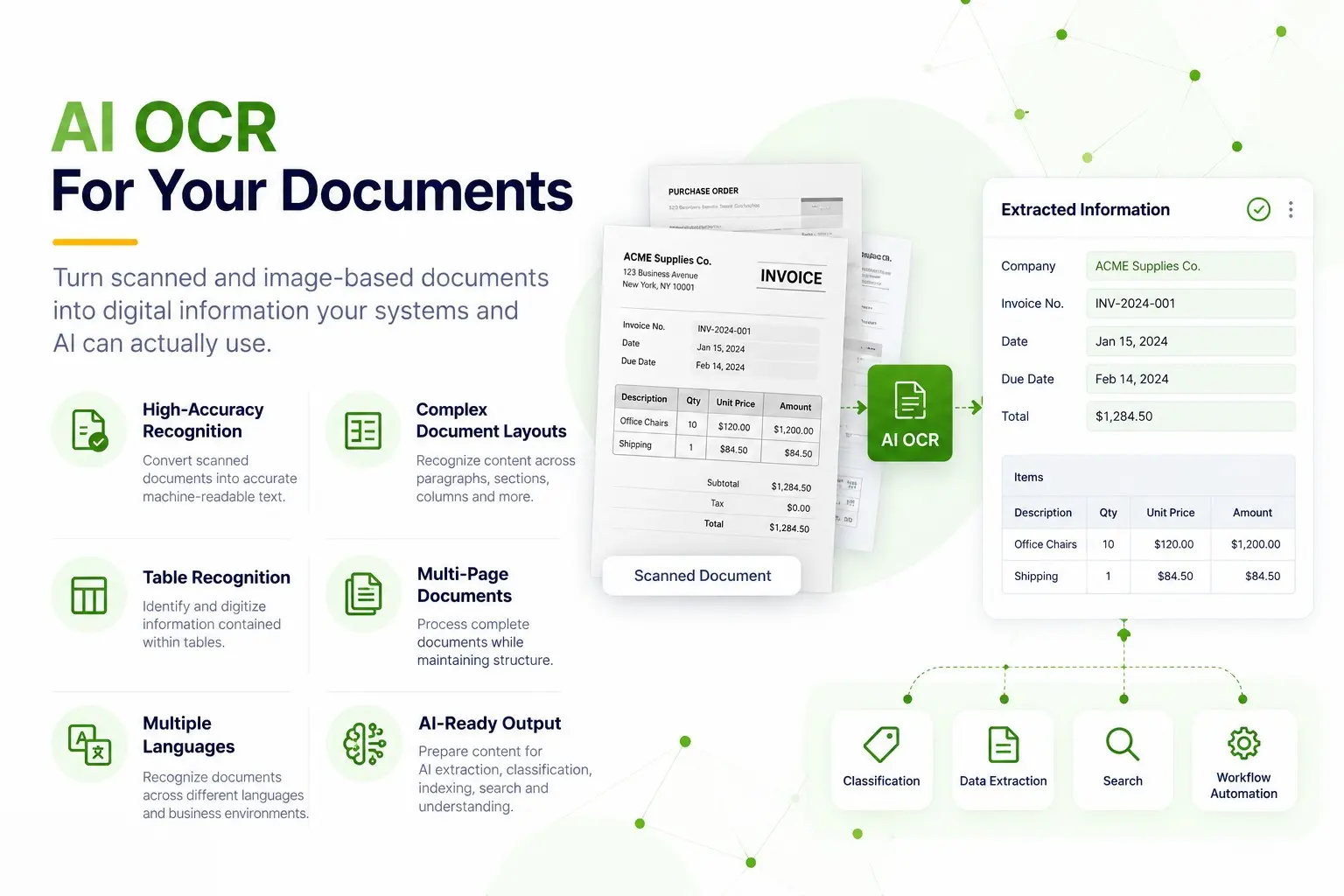
AI OCR During Document Upload
Make Every Document AI-Ready from the Moment It enters elDoc
elDoc automatically applies OCR during document upload and ingestion, transforming scanned documents and images into machine-readable, searchable content ready for AI
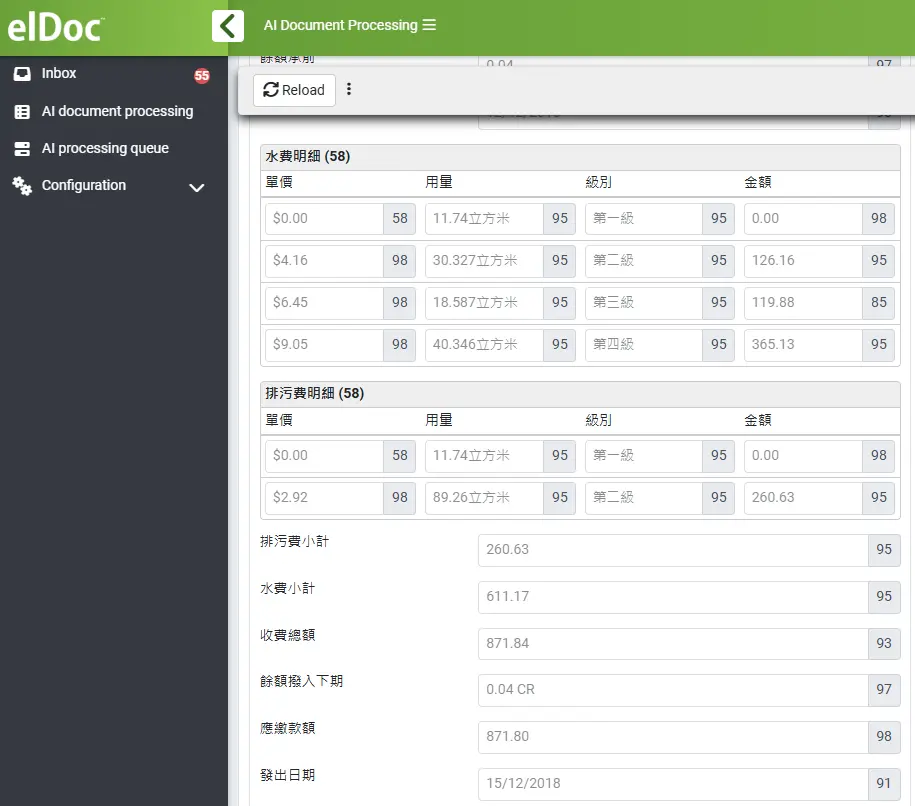
Multilingual AI OCR
Any Language. Any Layout. Any Complexity
Recognize documents across multiple languages — from Latin, Cyrillic and Arabic to Chinese and Japanese — while accurately processing everything from simple text and forms to complex layouts, tables and multi-page documents
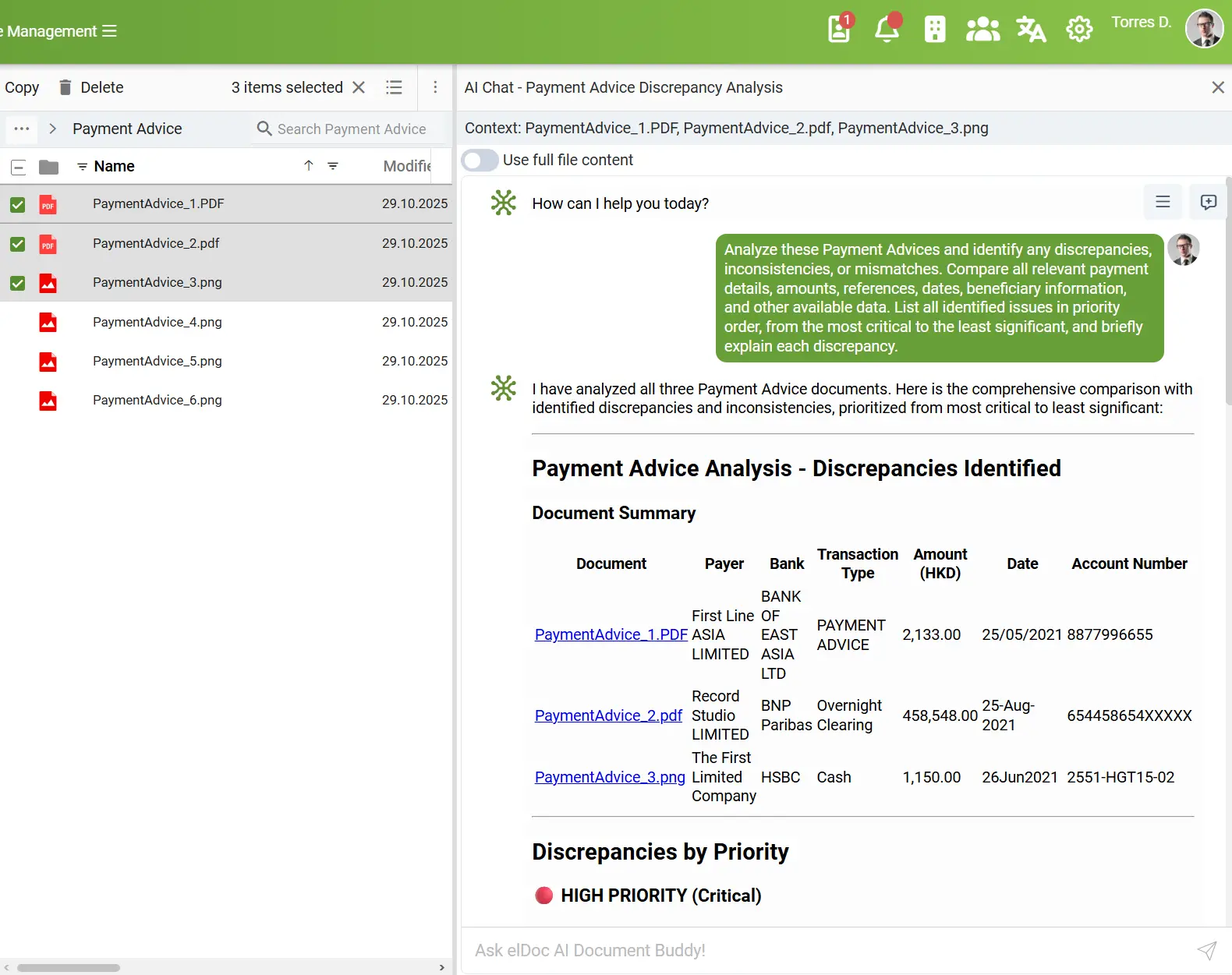
From OCR to AI — Instantly
Your OCR Output Is Immediately AI-Ready
Documents are automatically OCR-processed during upload, making recognized content immediately available for AI analysis, data extraction, classification, search, and automation
FAQ - AI OCR Explained
Find answers to common questions about elDoc AI OCR, from document recognition and languages to accuracy and deployment
1. What is AI OCR and how does it work?
AI OCR converts text and information contained in scanned documents, PDFs, and images into machine-readable content. In elDoc, OCR provides the foundation for further AI processing, including data extraction, classification, analysis, search, and automation
2. What document types and file formats can elDoc AI OCR process?
elDoc can process a wide range of business documents, including invoices, forms, contracts, applications, contracts, certificates, statements, reports, and correspondence. Documents can be provided as PDFs, scans, photos, TIFF, PNG, JPEG, and other supported formats
3. Which languages and writing systems are supported?
elDoc AI OCR can support more than 180 languages, depending on the selected OCR engine and configuration. This includes major writing systems such as Latin, Cyrillic, Arabic, Chinese, Japanese, Korean, Greek, Hebrew, and others. Organizations can select different OCR engines based on their language, document type, accuracy, and deployment requirements enabling multilingual document processing within a single elDoc environment
4. Which OCR engines are supported in elDoc?
elDoc supports multiple document recognition technologies, including Google Cloud Vision OCR, PaddleOCR, Tesseract OCR, and Vision-Language Models (VLMs), providing the flexibility to select the right approach based on document type, language, complexity, accuracy, security, and infrastructure requirements. Processing can be configured from cloud-based to fully on-premises, helping organizations meet performance, data residency, and security requirements
5. What if my scanned document or image is skewed or poor quality?
elDoc combines OCR with Computer Vision to prepare documents before text and data recognition. Images can be automatically normalized to address issues such as skew, incorrect orientation, distortion, and inconsistent image quality, helping improve OCR results.
This enables elDoc to process a wider range of real-world documents, including scans, photographed documents, and imperfect images, although recognition accuracy will always depend on the quality and readability of the original document
6. How are recognition confidence scores used in elDoc?
elDoc can assign a confidence score to each recognized or extracted field, indicating the level of confidence in the captured data.
These scores can be used to automatically route lower-confidence results for human review and validation, while higher-confidence data can continue through the workflow without manual intervention. This enables human-in-the-loop processing focused only where attention is needed
7. Can OCR processing run automatically when documents are uploaded?
Yes. OCR is performed automatically during document upload and ingestion, eliminating the need for a separate processing step. Once completed, recognized content becomes immediately available for AI processing, Agentic RAG, intelligent data extraction, and AI Document Agents operating within elDoc
8. Can elDoc AI OCR be deployed on-premises or in an air-gapped environment?
Yes. elDoc supports different OCR engines and deployment models, from cloud-based services to fully on-premises processing. Appropriate on-premises configurations can support environments where documents must remain within controlled infrastructure and external connectivity is restricted
See elDoc AI OCR in Action
Discover What elDoc AI OCR Can Do with Your Documents
Schedule a demo and bring your own document samples. See how elDoc recognizes and processes your documents, languages, and layouts in a real-world scenario
Let's get in touch
Want a closer look? Message us to arrange your demo
Get your questions answered or schedule a demo to see our solution in action — just drop us a message