
The Best Secure File Sharing Solutions and the Top Practices They Provide

Sharing files may seem like a routine business activity, but in reality, it is one of the most vulnerable points in the entire information lifecycle. A single document shared with the wrong person, a link forwarded outside the organization, or an unprotected file exchange during a sensitive process can result in catastrophic exposure. This risk becomes even more pronounced during audits, where teams must provide auditors with highly confidential financial statements, internal controls documentation, operational reports, and regulatory evidence. In such scenarios, one misconfigured permission or insecure transfer can put critical financial data in the wrong hands — something no organization can afford.
Secure file sharing is no longer just an IT responsibility; it has become a fundamental business requirement touching every department, from finance and compliance to legal, HR, and executive leadership. Today’s organizations operate in an environment where data breaches continue to rise, remote work remains part of everyday operations, and regulators impose increasingly strict requirements on how sensitive information must be handled. Every file shared externally — and even internally — must therefore be protected, traceable, and carefully governed. The stakes are high: a single incident can lead to reputational damage, financial penalties, regulatory non-compliance, and a breakdown in trust with partners, auditors, customers, and stakeholders.
Yet despite the urgency, implementing truly secure file-sharing practices is far from simple. Traditional tools such as email attachments, consumer cloud storage, and generic file-transfer platforms were never designed for enterprise-grade governance, auditability, or confidential collaboration. They lack the ability to enforce granular permissions, monitor every action, prevent unauthorized resharing, or control what happens once a file leaves the organization’s perimeter. As organizations adopt AI-driven workflows, the risks are amplified — especially when employees can inadvertently extract sensitive segments of documents through unsecured or external GenAI tools. Without the right platform, secure file sharing becomes fragmented, inconsistent, and vulnerable at every step.
This is where elDoc, a GenAI-powered Document Intelligence and Secure File Management platform, fundamentally changes the landscape. elDoc is built to elevate secure file sharing from a manual, error-prone process into an automated, governed, AI-enhanced capability. It provides an enterprise-grade environment where sensitive documents are protected by default, regardless of whether they are being uploaded, accessed, shared, collaborated on, or reviewed by internal teams or external auditors. At every stage of the document lifecycle, elDoc embeds strict access controls, advanced security models, and deep governance features that work seamlessly behind the scenes.
Below are the top secure file-sharing top practices and how elDoc helps organizations achieve them instantly.
1. Implement Role-Based Access Control (RBAC)
Secure file sharing begins with clearly defined access boundaries. Users should only be able to access the documents they are authorized to work with — nothing more, nothing less. This principle is fundamental to preventing accidental exposure and maintaining confidentiality across internal and external collaboration.
How elDoc supports RBAC
elDoc provides fine-grained, enterprise-level access control that allows administrators to define user roles (Employee, Manager, Auditor, Admin, etc.), set department-based access boundaries, and enforce document-level permissions. Organizations can precisely control who is allowed to upload, download, view, edit, review, print, copy, delete, or share each document. This ensures that all document interactions are governed by strict permission rules aligned with internal policies.
Result:
“Unauthorized users cannot view, share, or query documents — even through GenAI chat. Every AI interaction respects RBAC enforcement, ensuring that sensitive information remains protected and inaccessible to anyone without explicit authorization.”
2. Set up Rules on Roles and Responsibilities
Once RBAC is established, the next step is to clearly define the specific roles and responsibilities involved in your document processes. This includes determining who is authorized to upload files, who may edit or update them, who must review and approve them, and who is ultimately responsible for sharing them externally.
For example, a finance team member may upload monthly financial statements, while the finance manager is responsible for reviewing and approving those documents before they are shared with auditors. The final sharing action may then be restricted to another designated role, such as a compliance officer. By mapping these responsibilities to your internal workflows, you ensure that every document passes through the correct controls, reducing risk and increasing accountability.
How elDoc supports it
elDoc allows organizations to configure customized workflows that reflect their real operational structures. Each action — upload, edit, review, approve, or share — can be assigned to specific roles or user groups. elDoc enforces these workflows automatically, ensuring documents move through the required steps before they can be shared or accessed externally. This creates a clear chain of responsibility and eliminates the possibility of bypassing approval stages. All actions are logged, timestamped, and tied to individual users, providing full traceability.
Result:
“Every document follows a strict, predefined workflow aligned with your organizational structure. Users can only perform actions assigned to their role, ensuring proper oversight, preventing unauthorized sharing, and maintaining a complete audit trail of who uploaded, edited, approved, and shared each file.”
3. Enforce MFA/OTP for All Users
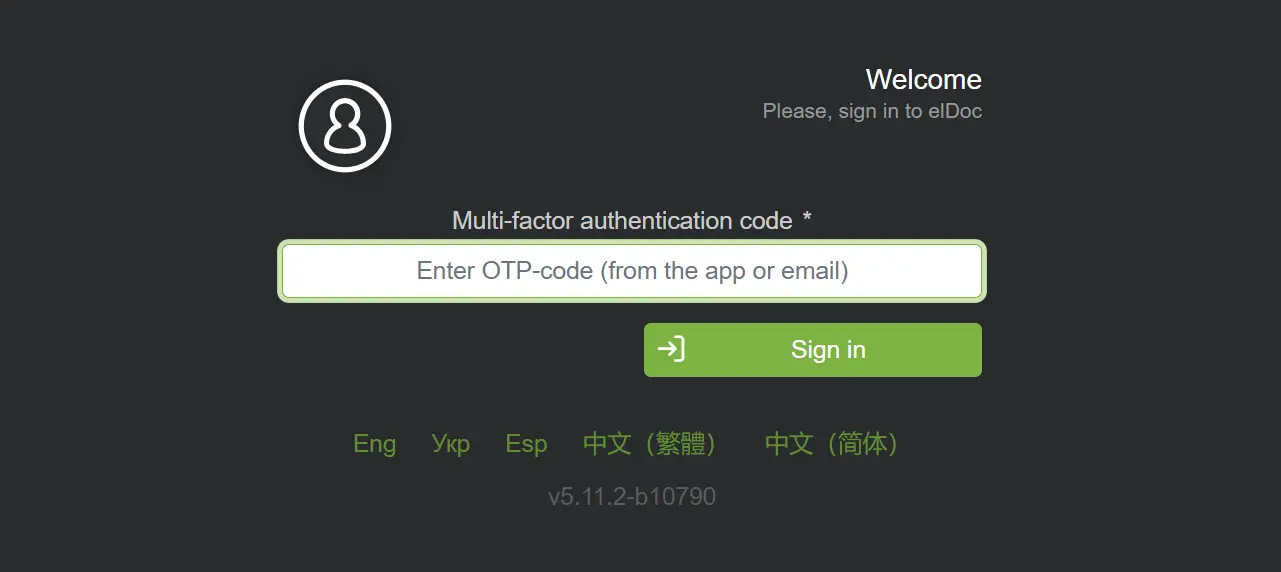
Strengthening authentication is one of the most effective ways to prevent unauthorized access. Relying solely on usernames and passwords is no longer sufficient, especially when sensitive financial, legal, or operational documents are involved. By enforcing multi-factor authentication for internal users and OTP-based verification for external collaborators, organizations significantly reduce the risk of credential theft, impersonation, and unauthorized file access. In high-risk scenarios such as audit document exchange or external compliance reviews, additional password-protected access adds another layer of security to ensure only the intended recipient can open the shared file.
How elDoc applies MFA and OTP
elDoc integrates robust authentication mechanisms directly into the platform. Internal employees can be required to authenticate through multifactor methods such as authenticator apps or corporate MFA systems, ensuring that only verified users can log in and interact with documents. External parties — auditors, partners, vendors, or clients — can be granted temporary access secured with one-time passwords (OTP) sent via email, combined with an optional additional password that must be entered before the document can be viewed. These layered authentication controls ensure that identity verification is enforced consistently across all user types.
Result:
“Even if a password is compromised, unauthorized individuals cannot gain access to documents. MFA for internal users, OTP verification for external collaborators, and optional additional password protection ensure that every document is accessible only to fully verified, legitimate users.”
4. Apply Several Layers of Controls When You Share a File
Secure file sharing requires more than simply sending a link or granting access. To prevent accidental exposure, unauthorized redistribution, or misuse of sensitive documents, organizations must apply multiple layers of protection at the moment a file is shared. This includes restricting what the recipient can do with the file, defining when access expires, ensuring that identity verification is enforced, and controlling how the content can be viewed or handled. Multi-layered safeguards are especially crucial when sharing highly sensitive materials — such as audit evidence, financial statements, legal agreements, or confidential internal reports — where even a minor oversight can lead to serious compliance or security consequences.
How elDoc supports layered sharing controls
elDoc provides a comprehensive set of security controls that activate the moment a file is shared. Administrators or authorized users can configure view-only access, disable downloads or printing, prevent copying, enforce watermarks with user-specific identifiers, and apply mandatory authentication before the file can be opened. Access can be time-bound, ensuring documents expire automatically after a defined period. elDoc also allows additional password protection, sharing link restrictions, and the ability to limit access to a single verified user. Every action is recorded, creating a complete audit trail of who accessed the file, when, and under what permissions.
Result:
“Every shared file is protected by multiple layers of security, ensuring full control over who can access it, how it can be used, and for how long. elDoc’s layered protections eliminate accidental leakage, prevent unauthorized redistribution, and guarantee that sensitive documents remain fully governed throughout the sharing process.”

5. Implement Zero-Trust Architecture
Zero-Trust is the modern foundation of secure file management and sharing. Instead of assuming that users, devices, or sessions are trustworthy simply because they are inside the organizational network, Zero-Trust operates on a strict principle: never trust, always verify. Every request to view, open, or share a file must be authenticated, authorized, and validated. This model is essential when dealing with sensitive financial records, audit materials, and regulated documentation, where even a single unauthorized access attempt must be treated as a potential security incident. Zero-Trust ensures that no file is accessible without explicit permission, and no action is allowed unless it aligns with predefined business rules.
How elDoc embodies Zero-Trust
elDoc enforces Zero-Trust at every interaction. Identity verification is required before users can access the platform or retrieve any document. Device and session checks ensure that only recognized and authenticated environments can open files. All role and permission validations happen in real time, preventing unauthorized access even within internal networks. elDoc continuously monitors user behavior, validating access patterns and blocking any action that falls outside permitted workflows.
What truly strengthens the Zero-Trust model in elDoc is the platform’s comprehensive audit trail and usage visibility. Every document interaction — viewing, opening, downloading, further sharing — is logged with full detail, including timestamp, user identity, device information, IP address, and action type. elDoc also prevents onward sharing unless explicitly permitted, ensuring recipients cannot forward a file, create new share links, or broaden access. This level of traceability ensures complete oversight during critical processes such as audits, compliance reviews, financial reporting, or legal discovery.
Result:
“Every action within elDoc must be explicitly verified and authorized. Users cannot access, share, or interact with a document unless all Zero-Trust conditions are met. All activity — including who viewed the file, when they viewed it, and what actions they attempted — is fully recorded, ensuring complete transparency, accountability, and control.”